Author: Ganesh Babu Vasantha Rajan

TryOn Studio by Showcasaai

TryOn Studio — ShowcasaAI

TryOn Studio — ShowcasaAI

See yourself in the outfit before you buy it

Online fashion often leaves us guessing.
Will this outfit suit me? Will it fit my style? Will it actually look good on me?

TryOn Studio — ShowcasaAI is a browser extension designed to remove that uncertainty.
Upload your photo, pick an outfit from anywhere on Chrome, and instantly see a realistic preview of yourself wearing it — no imagination required.

Getting Started with TryOn Studio – ShowcasaAI
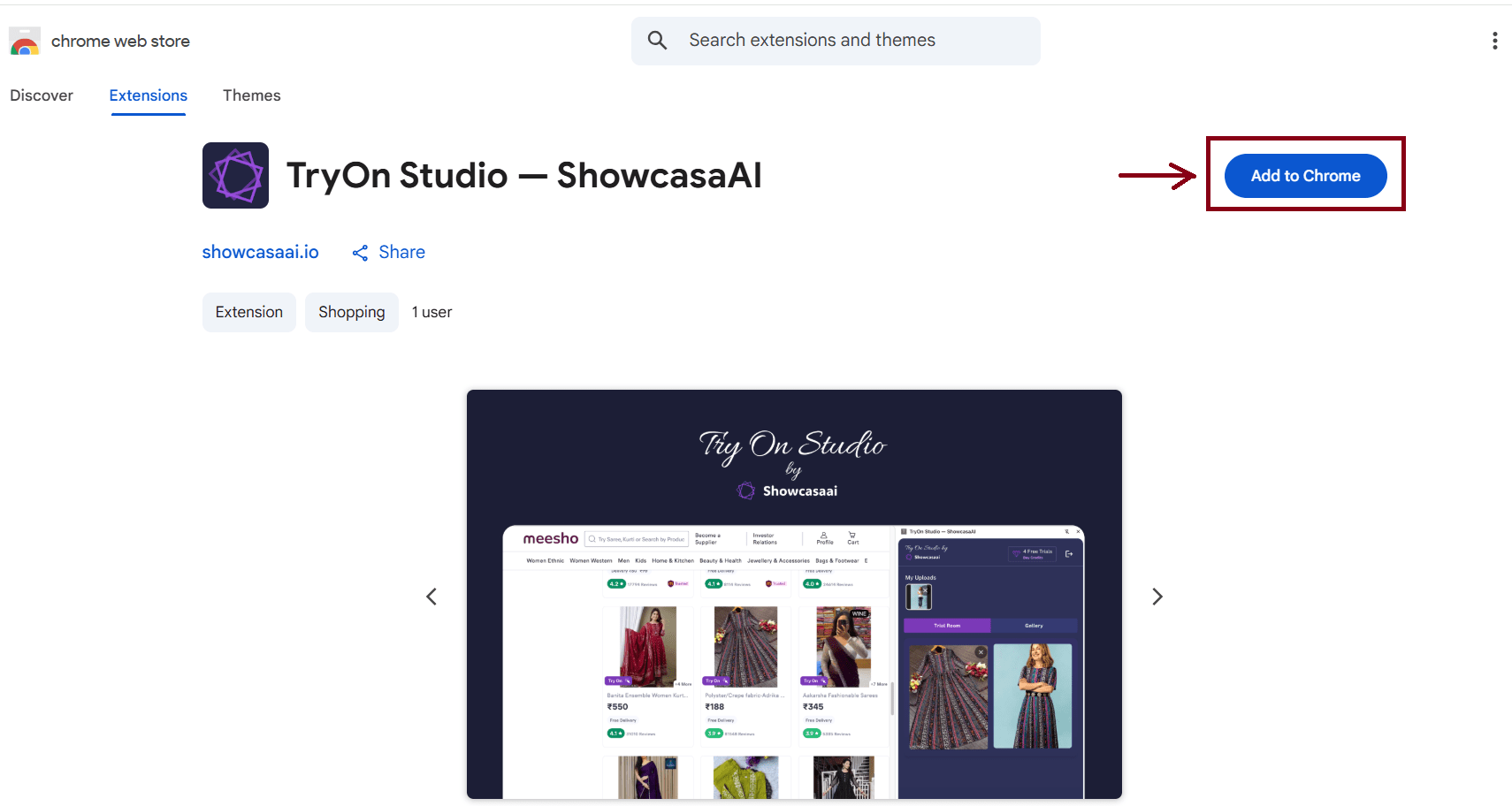
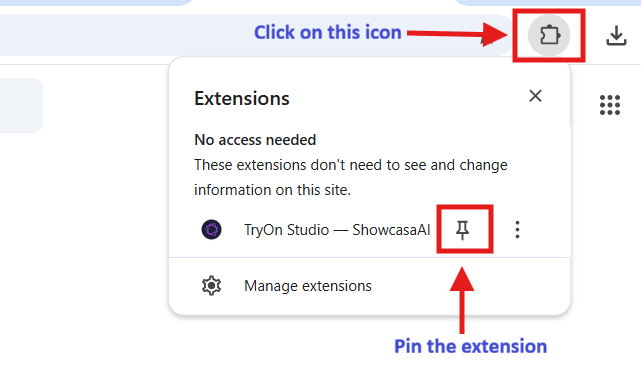
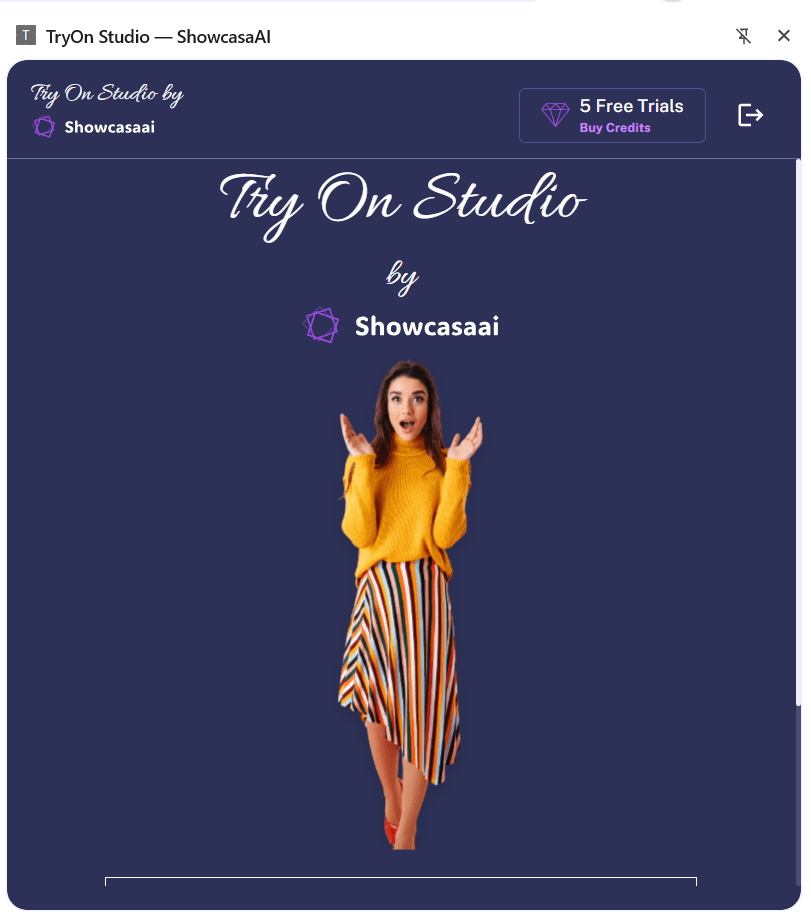
Install TryOn Studio -ShowcasaAIPin extension TryOn Studio - ShowcasaAI Home

Setting up TryOn Studio is simple and quick.

  • Install “TryOn Studio — ShowcasaAI” from the Chrome Web Store
  • Pin the extension from the 🧩 icon
  • Sign in and open the extension
  • You’re ready to start trying outfits virtually

Steps to Use the Try-On Feature

  1. Upload Your Image
    Open TryOn Studio — ShowcasaAI and upload a clear photo of yourself.
  2. Select a Try-On Outfit
    Browse any website, click on the outfit image you like, and choose Try On.
  3. Generate the Result
    Once both images are selected, click Generate to see the try-on preview.

That’s it — simple, fast, and seamless !

How the Try-On Feature Works

Model  Outfit  Generated Result

The try-on process is built around two images:

Upload Image:

This is your photo — the person who will wear the outfit.

Try-On Image:

This is the outfit image selected directly from any website on browser.

Once both images are selected, TryOn Studio transforms your photo by applying the chosen outfit with natural fit and realistic placement.

The quality of the output depends heavily on how these two images are chosen.

Choosing the Right Upload Image (Your Photo)

Think of your upload image as the foundation of the try-on.

Works best when:

  • Only one person is visible
  • The image is clear, sharp, and well-lit
  • The pose is front-facing or naturally standing
  • Most of the body is visible
  • Clothing is simple and not heavily layered

Avoid when possible:

  • Group photos
  • Blurry or dark images
  • Cropped or partially visible bodies
  • Extreme poses or angles

Why this matters:

For the best results, TryOn Studio — ShowcasaAI needs a clear body shape and pose to replace the outfit accurately and naturally.

Choosing the Right Try-On Image (Outfit)

The try-on image defines how realistic your final result will feel.

Best results come from:

  • Outfits that are clearly visible
  • Full outfits rather than single items
  • Model, mannequin, or flat-lay images
  • Outfit type that logically fits the uploaded image

Tip:

If you select a single clothing item (like a T-shirt or top), make sure the uploaded image already has the remaining outfit (such as pants or bottoms). This helps the outfit blend naturally.

Common mistake to avoid:

If the uploaded image and try-on outfit don’t match, the result may look unnatural.

Example:
Upload image: Woman wearing a saree
Try-on image: Jeans only

   

In this case, the jeans may appear on top of the saree, making the output look unrealistic.

Simple rule to remember:

The try-on outfit should replace what you’re wearing — not layer over it.

Final Thoughts

TryOn Studio — ShowcasaAI helps you see fashion clearly — not just imagine it.

When images are chosen thoughtfully, the results feel natural, realistic, and surprisingly accurate.
Start free, understand the flow, and upgrade when you’re ready to explore without limits.

Fashion confidence starts here.
Building Smarter Agents with OpenAI's Agent Builder

Building Smarter Agents with OpenAI’s Agent Builder 🛠️

Building Smarter Agents with OpenAI’s Agent Builder 🛠️

In the race from chatbots to autonomous AI, the new Agent Builder by OpenAI stands out as a powerful leap. It lets developers design agents that not only talk, but also think, plan, act, and coordinate tools. Below we explore what Agent Builder offers, how it works, and how you can get started—complete with architecture visuals and links to deeper references.


What is Agent Builder?

Agent Builder is part of OpenAI’s growing toolset for creating agentic systems. It provides a visual, modular canvas to compose multi-step workflows using LLMs, tools, and logic. The aim is to make it easier to build agents that can carry out real tasks—beyond simple question-answering.

OpenAI describes agents as systems that independently accomplish tasks on behalf of users, selecting tools, monitoring progress, recovering from failures, and reasoning about next steps. (OpenAI)

With the introduction of AgentKit, OpenAI now bundles Agent Builder with other capabilities (Connector Registry, ChatKit, evaluation tools) to enable developers to build, version, and monitor agents more reliably. (OpenAI)


Key Components & Architecture

When you use Agent Builder, you’re effectively wiring together several core abstractions:

1. Tools / Actions

Agents are configured with “tools” they can call—APIs, database queries, file operations, etc. Each tool has defined input/output schemas so the agent knows when and how to invoke it. (OpenAI Developers)

2. Planner / Orchestration / Agent Loop

The agent uses logic to break high-level goals into subtasks, sequence steps, and decide which tool to call next. The “agent loop” is the recurring cycle: decide → act → observe → decide again. (OpenAI GitHub)

3. Memory / State

To handle dialogues or multi-step flows, the agent maintains memory. It can recall past observations, intermediate results, or user preferences. That enables continuity and contextual decisions. (OpenAI Developers)

4. Guardrails & Validation

To improve safety and robustness, Agent Builder lets you define guardrails or checks on inputs/outputs—so the agent can detect anomalies or abort invalid steps. (OpenAI GitHub)

5. Handoffs / Multi-Agent Coordination

In more advanced setups, one agent can hand off tasks to another specialized agent (e.g. a “data agent” vs a “writing agent”). AgentKit supports such delegation. (OpenAI GitHub)

The image above (from a Medium article) shows a typical architecture layout for agents and how different components interact (Tools, Agent core, Orchestration, Tracing).

Another visual (not shown here) might depict “agentic system architecture” layering tools, reasoning, and the orchestration layer.


How Agent Builder Works (Step by Step)

  1. User issues a request or goal (e.g. “Plan my trip to Japan, book flights, suggest itinerary”).
  2. The agent’s planner examines the goal, checks memory/context, and formulates a plan: a sequence of tool calls or reasoning steps.
  3. The agent executes steps—maybe first calling a flight-search API, then a hotel booking API, then generating an itinerary.
  4. After each action, the observation or tool response is fed back to the agent, updating memory or altering the plan.
  5. The agent continues until it deems the task complete or needs to hand control back to the user.
  6. Throughout the process, guardrails validate that the agent doesn’t stray into invalid or unsafe outputs.

This loop supports sophisticated, multi-step automation—like an agent that researches, synthesizes data, and takes actions on your behalf.


Benefits & Use Cases

Why use Agent Builder instead of ad hoc prompt engineering?

  • Modularity & observability: Since actions are discrete tools, workflows are transparent and debuggable.
  • Scalable complexity: Branching logic, conditionals, retries, fallback strategies—all become manageable.
  • Extensibility: New tools or capabilities can be added without rearchitecting everything.
  • Contextual coherence: Memory ensures continuity across long interactions.

Use cases include:

  • Virtual assistants that perform operations (e.g. booking, document generation)
  • Customer support agents integrating with internal systems
  • Agents that query enterprise data, analyze results, and generate executive summaries
  • Content creation pipelines involving search, drafting, editing, publishing

Getting Started & Best Practices (With Links)

  • Try the Agents SDK (Python): install via pip install openai-agents. (OpenAI GitHub)
  • Start with a minimal agent (one or two tools) and simple instructions.
  • Use tool schemas to clearly define inputs and outputs.
  • Gradually add memory or handoffs as needed.
  • Enable and monitor tracing / logs to understand the agent’s decisions.
  • Design guardrails to catch aberrant outputs or failure states.
  • Test edge cases (tool failures, exceptions).
  • Use versioning—the Agent Builder canvas supports evolving your workflow. (OpenAI)
An elderly couple is-depicted-sitting-on-the-steps-of-their-traditional-Indian-home

Vibrant Visions: Celebrating Holi with AI-Generated Artwork

In the spirit of Holi, the festival of colors, we’ve embraced the fusion of tradition and technology by creating stunning, vibrant images using AI image generators like Dall-E and Bing AI. This innovative approach allows us to capture the essence of Holi in a way that’s both imaginative and deeply respectful of the festival’s rich heritage. By inputting detailed prompts that reflect the joy, community, and color of Holi, we’ve generated unique pieces of art that celebrate this auspicious occasion. Each image, with its explosion of colors and scenes of jubilation, not only pays homage to the traditional aspects of Holi but also showcases the incredible potential of AI in the realm of creative expression. Through our blog, we invite you on a visual journey that marries the ancient with the cutting-edge, offering a fresh perspective on Holi celebrations.

Launched Copilot for Microsoft 365: AI-Powered Productivity and Creativity for Organizations

Microsoft has launched a new premium subscription service called Copilot Pro for individuals. The subscription costs $20 per month and provides advanced AI capabilities, access to Copilot in Microsoft 365 apps, priority access to the latest models, enhanced AI image creation, and the ability to create Copilot GPTs 12.

For organizations, Microsoft has launched Copilot for Microsoft 365, a subscription that provides AI-powered productivity and creativity across emails, meetings, chats, documents, and more, plus the web. It is now available for businesses of all sizes, including small- and medium-sized businesses, and through Microsoft Cloud Solution Provider partners 3.

Copilot GPTs is a new feature that lets users customize the behavior of Copilot on a specific topic. A handful of Copilot GPTs are available today, and Copilot Pro users will soon be able to create their own Copilot GPTs using Copilot GPT Builder 12.

Microsoft has also launched a new Copilot mobile app that gives users the power of Copilot on the go, with access to GPT-4, Dall-E 3, and image creation. The app is available for Android and iOS users and has the same capabilities as the PC version. It is also available in the Microsoft 365 mobile app for Microsoft account holders 4.

In summary, Microsoft has launched a suite of new products and features under the Copilot brand. Copilot Pro is a premium subscription service for individuals that provides advanced AI capabilities, access to Copilot in Microsoft 365 apps, priority access to the latest models, enhanced AI image creation, and the ability to create Copilot GPTs. Copilot for Microsoft 365 is a subscription service for organizations that provides AI-powered productivity and creativity across emails, meetings, chats, documents, and more, plus the web. Copilot GPTs is a new feature that lets users customize the behavior of Copilot on a specific topic. Copilot mobile app is a new app that gives users the power of Copilot on the go, with access to GPT-4, Dall-E 3, and image creation1324

MS Ignite

Microsoft Ignite 2023: A Brief Summary

In the Microsoft Ignite 2023 event, Microsoft outlines how AI transformation is reshaping work and how Microsoft is supporting customers, partners and developers with its AI solutions. It covers:

  • Rethinking cloud infrastructure with new AI optimized silicon, Azure Boost, and partnerships with AMD and NVIDIA.
  • Extending the Microsoft Copilot experience across Microsoft 365, Copilot Studio, Copilot for Service, Copilot in Microsoft Dynamics 365 Guides, and Bing Chat and Bing Chat Enterprise.
  • Bringing Copilot to everyone with the general availability of Bing Chat and Bing Chat Enterprise as Copilot.
  • Reinforcing the data and AI connection with Microsoft Fabric, a unified platform for data management and AI tools, and integration with Microsoft Office and Teams.
  • Unlocking more value for developers with Azure AI Model-as-a-Service, Azure AI Studio, Vector Search, and new GPT models.
  • Enabling the responsible deployment of AI with the Copilot Copyright Commitment, Azure AI Content Safety, and new AI and productivity tools for developers.
  • Introducing new experiences in Windows to empower employees, IT and developers with Windows AI Studio and NVIDIA AI foundry service.
  • Strengthening defenses in the era of AI with the Unified Security Operations Platform and Security Copilot embedded within Microsoft Defender XDR and other Microsoft security products.

Page Reference – Microsoft Ignite 2023: AI transformation and the technology driving change – The Official Microsoft Blog

AI Pair Programmer - CIO Guide

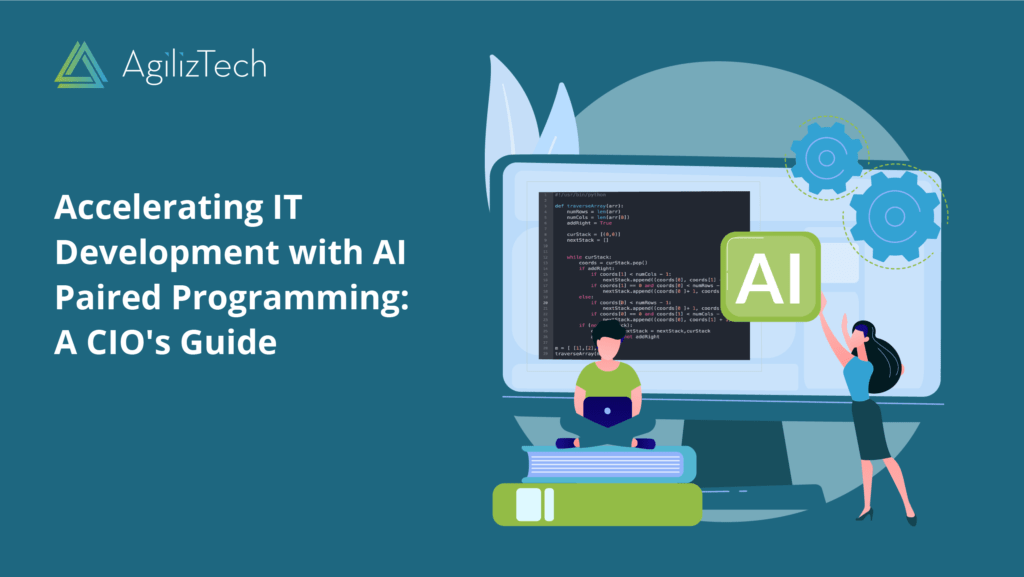
Accelerating IT Development with AI Paired Programming: A CIO’s Guide

Accelerating IT Development with AI Paired Programming: A CIO’s Guide

Pair programming is a technique where two programmers work together on the same code, one writing the code and the other reviewing it. Pair programming can improve the quality, efficiency and creativity of software development, as well as enhance the skills and satisfaction of the programmers.

However, pair programming also has some challenges, such as finding a compatible partner, coordinating schedules and communication styles, and dealing with conflicts and distractions. Moreover, pair programming may not be feasible or desirable for some projects or tasks that require more individual work or privacy.

This is where Artificial Intelligence (AI) can come in handy. AI can act as a virtual pair programmer that can assist you with various aspects of software development, such as:

Code completion: AI can suggest relevant code snippets or fill in missing parts of your code based on the context and your preferences.

Code review: AI can analyze your code for errors, bugs, style issues, security vulnerabilities, performance bottlenecks, and best practices, and provide feedback and suggestions for improvement.

Code refactoring: AI can help you restructure your code to make it more readable, maintainable, reusable, and scalable, by applying design patterns, renaming variables, extracting methods, simplifying expressions, etc.

Code testing: AI can generate test cases and test data for your code, run automated tests, and report the results and coverage.

Code documentation: AI can generate comments and documentation for your code based on its functionality and structure.

Code generation: AI can create new code from scratch or from natural language specifications or examples.

By using AI as a pair programmer, you can benefit from:

Increased productivity: AI can help you write code faster and more accurately, by reducing the cognitive load and the need for manual work.

Enhanced quality: AI can help you improve the quality of your code by detecting and fixing issues early and enforcing standards and best practices.

Improved learning: AI can help you learn new skills and technologies by providing guidance, feedback, and examples.

More creativity: AI can help you explore new ideas and solutions by generating alternatives and variations for your code.

More flexibility: AI can adapt to your preferences and needs, and work with you anytime and anywhere.

Using AI as a pair programmer can be a rewarding experience that can boost your software development skills and outcomes. However, you should also be aware of the limitations and challenges of using AI in this context. For example:

Trust: You should not blindly trust the suggestions or feedback from AI without verifying their correctness and suitability for your project. You should also be aware of the potential biases or errors that may affect the performance of AI.

Communication: You should communicate clearly and explicitly with AI about your goals, expectations, and preferences. You should also provide feedback to AI to help it learn from your behavior and improve its service.

Ethics: You should respect the ethical principles and guidelines for using AI in software development. You should also consider the social and environmental impacts of your code and how it may affect other stakeholders.

Using AI as a pair programmer is an exciting opportunity to leverage the power of AI for software development. By following some best practices and precautions, you can enjoy the benefits of using AI as a pair programmer while avoiding the pitfalls. Happy coding!

Take the Next Step: Accelerate IT Development with AI

Looking for ways to accelerate your IT development process? Let us show you how AI paired programming can help – get in touch with us today.

Microsoft 365 Copilot

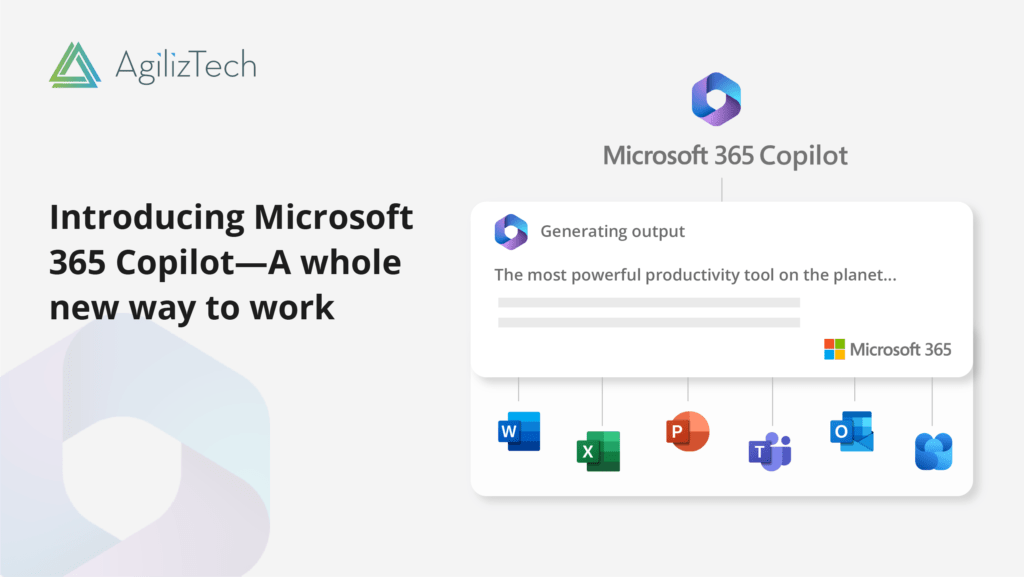
Microsoft’s Latest Launch of Copilot in Microsoft 365

Microsoft has recently announced a new feature for its Microsoft 365 suite of productivity apps: Copilot. Copilot is an AI-powered assistant that helps you write, create, communicate, and collaborate more effectively and efficiently. Copilot leverages the power of large language models (LLMs) and your data in the Microsoft Graph to understand your context, intent, and preferences, and to generate relevant suggestions, insights, and actions.

Copilot is integrated into Microsoft 365 in two ways:

– It works alongside you, embedded in the Microsoft 365 apps you use every day — Word, Excel, PowerPoint, Outlook, Teams and more — to unleash creativity, unlock productivity and uplevel skills.

For example, Copilot can help you write better emails by suggesting subject lines, salutations, sign-offs, and follow-ups; it can help you create engaging presentations by suggesting layouts, designs, images, and animations; it can help you analyze data by suggesting charts, formulas, and insights; it can help you communicate more effectively by suggesting responses, emojis, and translations; it can help you collaborate more smoothly by suggesting tasks, reminders, and meetings.

– It also offers an entirely new experience: Business Chat. Business Chat is a conversational interface that works across all your data and apps in Microsoft 365. You can simply type or speak what you want to do or know in natural language, and Copilot will understand your query and provide relevant information or actions in a chat-like format.

For example, you can ask Copilot to show you your latest sales report or to schedule a meeting with your team or to find a document related to a project or to summarize an article for you.

Copilot is not only smart but also secure and trustworthy. Copilot is integrated into Microsoft 365 and automatically inherits all your company’s valuable security, compliance, and privacy policies and processes. Two-factor authentication, compliance boundaries, privacy protections, and more make Copilot the AI solution you can trust.

Copilot also respects your preferences and feedback and learns from your behavior to provide ersonalized and relevant suggestions.

Microsoft 365 Copilot is currently being tested with a limited number of people and the company plans to open its doors to a wider audience in the coming months.

Microsoft 365 Copilot is a game-changer for productivity and innovation. It combines the best of human intelligence and artificial intelligence to help you achieve more with less effort. With Copilot as your copilot for work, you can focus on what matters most: your ideas, your goals, your impact.

Sources:

https://blogs.microsoft.com/blog/2023/03/16/introducing-microsoft-365-copilot-your-copilot-for-work/

https://www.microsoft.com/en-us/microsoft-365/blog/2023/03/16/introducing-microsoft-365-copilot-a-whole-new-way-to-work/

https://timesofindia.indiatimes.com/gadgets-news/two-ways-copilot-is-integrated-into-microsoft-365-all-details-here/articleshow/98721299.cms

https://redmondmag.com/articles/2023/03/16/microsoft-unveils-microsoft-365-copilot.aspx

Take the Next Step: Embrace the Power of Cloud Services

Ready to take your organization to the next level with cloud services? Our team of experts can help you navigate the cloud landscape and find the solutions that best meet your needs. Contact us today to learn more and schedule a consultation.

Top 10 best practice using low code no code software efficiently

Top 10 best practices and insights for using low-code/no-code software effectively

Low-code/no-code software has become increasingly popular in recent years as it allows users to create and deploy software applications without the need for extensive coding knowledge. However, in order to use these tools effectively, it’s important to follow certain best practices and insights. Here are 10 best practices and insights to consider when using low-code/no-code software:

1. Understand the limitations:

While low-code/no-code software can make application development faster and more accessible, it may still have limitations in terms of functionality and scalability. Make sure to understand the limitations of the platform you’re using and plan accordingly.

2. Start small:

When starting to use a low-code/no-code platform, it’s a good idea to begin with small, simple projects to get a feel for the platform and how it works. This will help you build up your proficiency before tackling more complex projects.

3. Be familiar with the underlying technology:

Even though you’re using a low-code/no-code platform, it’s still important to have a basic understanding of the underlying technology. This can help you better understand how the platform works and make more informed decisions about how to use it.

4. Understand the data model:

Familiarize yourself with the platform’s data model and how data is organized and stored. This will allow you to make better use of the platform’s features and avoid common data-related issues.

5. Create modular and reusable components:

Make use of the platform’s features to create reusable components that can be used across multiple projects. This will help reduce development time and increase consistency across projects.

6. Make use of pre-built templates and modules:

Many low-code/no-code platforms come with pre-built templates and modules that can be used to speed up development. Make use of these to speed up development and reduce the time required to build complex applications.

7. Understand the limits of the visual interface:

While the visual interface of low-code/no-code platforms can be intuitive, there may be limits to what you can do with it. Understand these limits and be prepared to switch to a more traditional development environment when necessary.

8. Stay up to date with new features:

Low-code/no-code software platforms are constantly evolving, and new features and functionalities are frequently added. Stay up to date with these changes to ensure you’re making the most of the platform’s capabilities.

9. Test and debug frequently:

Low-code/no-code platforms make it easy to make changes and iterate quickly, but this also means that it’s easy to introduce bugs. Make sure to test and debug your applications frequently to catch any issues early.

10. Don’t over-reliance on the platform:

While low-code/no-code software can make development faster and more accessible, it’s not a panacea. Understand when to use it, and when not to use it. And don’t hesitate to ask for help from experts when necessary.

In conclusion, low-code/no-code software can be a powerful tool for creating and deploying software applications quickly and efficiently. However, in order to use these tools effectively, it’s important to follow best practices such as clearly defining the problem or need, involving key stakeholders, and focusing on user experience. Additionally, it’s also important to keep in mind insights such as the importance of automation and the role of low-code/no-code in driving efficiency. By following these best practices and insights, you can ensure that your organization is able to fully leverage the benefits of low-code/no-code software.

Ready to start using low-code/no-code software?

Low-code/no-code platforms are powerful tools that allow you to create and deploy software applications quickly and efficiently. If you’re ready to start taking advantage of these tools, sign up for a free trial or get a custom demo to see how it can benefit your organization.

Balance Security & Compliance with agility and scalability of cloud

How to effectively balance need for security and compliance with agility and scalability offered by cloud?

In this article, we will look at How can organizations effectively balance the need for security and compliance with the agility and scalability offered by the cloud?

Cloud computing has revolutionized the way organizations operate, offering unparalleled agility and scalability. However, with the increased use of the cloud comes an increased need for cloud security and compliance. Organizations must find ways to balance these two competing demands to fully realize the benefits of the cloud.

1. Adopt a Comprehensive Security Framework:

A comprehensive security framework that includes policies, procedures, and technologies that address all aspects of security, including access control, data protection, incident management, and compliance.

2. Conduct a Thorough Risk Assessment:

Conducting a thorough risk assessment of the cloud environment. This assessment should identify any potential security vulnerabilities and compliance gaps and provide the organization with a clear understanding of the steps needed to address them.

3. Implement Robust Cloud Security Controls:

Implementing robust security controls to protect the cloud environment. This may include firewalls, intrusion detection and prevention systems, and encryption technologies. Additionally, establishing strict access controls to ensure that only authorized individuals have access to sensitive data and systems.

4. Establish Clear Policies and Procedures:

Establishing clear policies and procedures for managing cloud security and compliance in the cloud. This may include guidelines for incident management, data governance, and regulatory compliance.

5. Adopt a Multi-Cloud Strategy:

Adopting a multi-cloud strategy by leveraging a combination of public, private, and hybrid clouds, organizations can take advantage of the unique strengths of each cloud environment while minimizing the risks associated with any one platform.

6. Invest in Staff Training and Education:

Investing in ongoing training and education of staff to ensure that they have the knowledge and skills needed to effectively manage security and compliance in the cloud.

In conclusion, organizations can effectively balance the need for security and compliance with the agility and scalability offered by the cloud by adopting a comprehensive security framework, conducting a thorough risk assessment, implementing robust security controls, establishing clear policies and procedures, adopting a multi-cloud strategy, and investing in ongoing staff training. By following these strategies, organizations can fully realize the benefits of the cloud while minimizing the risks associated with security and compliance.

Take the Next Step: Embrace the Power of Cloud Services

Ready to take your organization to the next level with cloud services? Our team of experts can help you navigate the cloud landscape and find the solutions that best meet your needs. Contact us today to learn more and schedule a consultation.

Woman’s Day 2019 – AgilizTech celebrates #BalanceForBetter

“A woman is a full circle. Within her is the power to create, nurture and transform.”

– Diane Mariechild

AgilizTech recently celebrated Women’s Day on 8th March 2019. The AgilizTech Fun Committee dedicated the day to the women employees, recognizing their contribution and participation in the organization.


Saying it with flowers

The day began with a surprise for all the ladies. A beautiful bouquet of flowers and a card awaited them at their workstations. It was a delight to watch the expressions of pleasant surprise on the faces of the female employees. Not only AgilizTech, the Fun Committee extended the gesture to even the other female employees at Kokarya CoWorks and gifted them chocolates and flowers.

 

Celebrating with cakes and talks

In the afternoon, the event began with a cake-cutting ceremony, post which the ladies also expressed their delight over the women’s day celebrations and how comfortable they feel at AgilizTech. After that Ganesh Babu, MD and CEO of AgilizTech and Anand Gangoor, Senior Technical Delivery Manager expressed their thanks towards the women employees and spoke about the important women in their lives. They also remarked upon the importance of women in IT and the need for #BalanceForBetter 

AgilizTech
Privacy Overview

This website uses cookies so that we can provide you with the best user experience possible. Cookie information is stored in your browser and performs functions such as recognising you when you return to our website and helping our team to understand which sections of the website you find most interesting and useful.